Speedometer
- 4.3
- Rating
- 100.00K
- Installs
- Free
- Price
 Analysis by App-foxy
When I want a quick speed reading without fitting a separate instrument to a vehicle, I find Speedometer a practical little tool. It turns an Android phone into a dashboard-style speed display, which is useful when a household shares one car, when someone is checking a bicycle ride, or when a vehicle’s built-in display is difficult to read. I would not treat it as a replacement for the car’s own speedometer, but I can see why this free Auto & Vehicles app has attracted more than one hundred thousand installs.
My experience with Speedometer is best described as focused rather than feature-heavy. The app from Peace does one central job: it uses the phone to estimate and show movement speed. That narrow purpose makes it easy to understand, but it also means the value depends heavily on how and where the phone is used. A person looking for route planning, trip records, navigation, fuel tracking, or vehicle maintenance will probably need something more comprehensive.
How Speedometer works in a shared household
The most convincing use case is a shared device that moves between different people. Imagine a family taking a long road trip in an older car with a dim dashboard display. One person can mount the phone where the passenger can see it, while the driver keeps attention on the road. On another day, the same phone might be used by a cyclist who wants a large, easy-to-see speed readout. The app is useful in both situations because it does not require every household member to create a separate account or learn a complicated system.
You May Also Like

 Google Keep - Notes and lists
Google Keep’s Quiet Growth Shows the Appeal of Simpler Notes
As mobile work gets busier, Google Keep keeps winning a simple contest: capture a thought quickly, find it later, and get on with the day.

 Blood Strike: 2.5 Anniversary
Blood Strike’s Loadouts Turn Every Drop Into a Tactical Gamble
A close look at Blood Strike’s custom loadouts: how fast access to signature weapons reshapes its battle royale rhythm, rewards preparation, and narrows the gap between fights.

 Pandora - Music & Podcasts
Pandora’s Music Is Easy to Start, but Harder to Recover
Pandora’s strength is its low-effort path from a seed to a station. Its weak spot is how much confidence it asks you to place in connection, setup, and quiet recovery.

 8 Ball Pool
 Is Built on Rivalries, Rematches, and Routine
A close look at the rivalries, rematches, shared routines, and unanswered safety questions that turn a quick pool match into a persistent mobile community.

 Samsung Music
’s Quiet Strength Is Playing What You Already Own
Its reach comes less from spectacle than from dependable access to a personal library. That simplicity is both the app’s strongest retention engine and its ceiling.

 AccuWeather: Weather Radar
AccuWeather Review: A Quick, Clear Forecast for Everyday Decisions
For everyday plans, the best forecast is the one you can understand quickly. AccuWeather makes rain timing, radar, and local conditions easy to act on, with a few trade-offs.
More From Our News Desk



That simplicity matters when the phone belongs to the household rather than one individual. I can hand the device to another person and explain the basic purpose immediately. There is no personal profile to switch, no shared history that needs sorting, and no coordination around whose driving data is being saved. For a family or group of friends, that makes the app less intrusive than a full driving platform built around individual accounts.
There is also a practical distinction between using the app as a temporary visual aid and treating it as a permanent vehicle accessory. For temporary use, I like the low commitment: install it, position the phone safely, and check the display. For permanent use, I would first ask whether the phone can remain charged, whether the mounting position blocks visibility, and whether the driver can avoid interacting with it while moving. The app cannot solve those physical setup problems.
In a shared car, I would agree on the setup before starting the journey. One person should handle mounting and checking the display while parked. Another passenger can confirm that the numbers are visible without leaning forward or reaching across the cabin. This small routine prevents the common mistake of trying to adjust a phone after the vehicle is already moving.
What the app is good at day to day
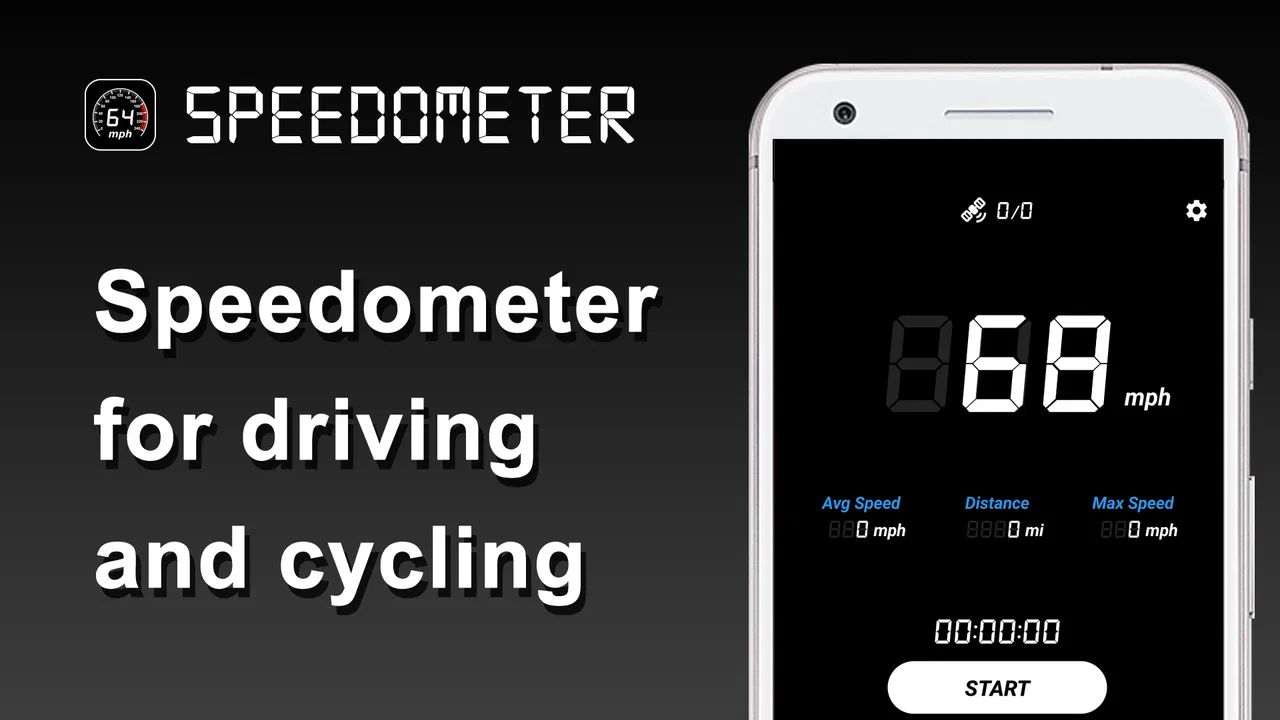
Speedometer makes the most sense when I need an independent, glanceable indication of speed. That can help if the vehicle display is hard to read from a passenger seat, if I am testing how a bicycle behaves on a quiet private route, or if I want a visible readout during a controlled driving exercise. The app’s purpose is clear enough that I do not need to browse through unrelated tools before finding the main function.
I also appreciate that it is free to download. That makes it easy to try on a spare household phone without committing money before knowing whether the display suits the vehicle. The app is rated for Everyone, which fits its straightforward purpose, although an age label should never be confused with permission for a child to operate a phone in traffic.
The current version is 1.5.0, and it supports devices running Android 6.0 or later. That relatively broad system requirement means an older spare Android phone may still be suitable, provided the device itself can obtain a reliable location signal and remain usable in the chosen position. In practice, the phone’s age, battery condition, screen brightness, and mounting stability may matter as much as the app version.
Where it should not replace the car display
I would not use a phone-based readout as the only speed reference in a situation where accuracy is critical. The car’s fitted instrument is designed for that vehicle, while a phone depends on its positioning hardware and the conditions around it. Tall buildings, tunnels, covered roads, poor placement, or a delayed location update can affect the usefulness of any phone speedometer. That is not a reason to dismiss the app; it is a reason to understand its role.
The safest approach is to use the display as supplementary information, not as an excuse to ignore the dashboard or local traffic rules. A driver should never hold the phone, change settings, or troubleshoot a reading while moving. If the number looks implausible, I would stop in a safe place and check the setup rather than trying to correct it from the driver’s seat.
This is also where the usual alternatives can be better. A built-in car speedometer is normally the right choice for ordinary driving. A dedicated bicycle computer may be preferable for repeated rides because it is designed for handlebar visibility and outdoor use. A navigation app may suit someone who wants speed alongside directions and route information. Speedometer is strongest when I want a lightweight, single-purpose display rather than an entire travel system.
Setting boundaries before anyone uses the phone
A shared device needs clear boundaries, even when the app itself is simple. I would decide who is allowed to mount it, who can change its settings, and where it may be used. Those rules are not built-in household controls; they are agreements between the people sharing the phone. That distinction is important because the app should not be mistaken for a managed family platform.
For a household with several drivers, I would keep the phone’s role narrow. It can show speed, but it should not become a reason for passengers to browse unrelated notifications or for drivers to handle the screen. If the phone is also used for calls, messages, or entertainment, switching between those activities during a journey creates unnecessary distraction. A dedicated spare phone is therefore more suitable than a personal handset that constantly demands attention.
Before a trip, I would prepare the device while parked. The screen should be positioned so the driver can see the readout with a brief glance, but the passenger should be responsible for any later adjustment. The phone should be secured rather than balanced on the dashboard or held by hand. I would also check the battery and reduce unnecessary background activity, because a speed display is not useful if the phone shuts down halfway through a journey.
One useful household habit is to test the display in a stationary setting and then compare it with the vehicle’s normal readout once the car is moving safely. This is not a formal calibration procedure, and I would not present it as one. It is simply a way to notice whether the phone is positioned well and whether the displayed movement seems reasonable before relying on it as a visual aid.
For cycling, the boundaries are different. The phone must be mounted where it can be seen without forcing the rider to look down for long. I would avoid experimenting on busy roads and would not use the app to encourage faster riding. A rider who needs detailed cadence, route history, training zones, or robust outdoor hardware should choose a purpose-built cycling computer instead.
Account boundaries and personal privacy
One advantage of a simple shared tool is that it does not push the household toward a complicated account arrangement. If several people use the same phone, there is no need to divide one person’s trip history from another person’s record because the app is being used as a live display rather than a personal diary. That can be reassuring for people who do not want every journey organized under an individual profile.
At the same time, shared-device use means everyone should understand that the phone itself may contain other personal material. The app may be neutral, but the handset may not be. I would use a separate device, guest arrangement, or ordinary screen lock practices where appropriate, especially if children, visiting relatives, or coworkers are likely to handle it. Those are device-management choices, not features I would attribute to Speedometer.
The same principle applies to purchases. The app is free, but in-app items are listed at around ten dollars each. In a household where several people share one phone, the person responsible for the device should know how purchases are handled before handing it to someone else. I would not assume that an Everyone rating means a child can approve a purchase or change account settings. Adult supervision and the phone’s own account protections remain important.
Coordinating drivers, passengers, and cyclists
Coordination is where a basic app can either become convenient or become a distraction. I would assign one person to be the “setup owner” for a journey. That person opens the app, places the phone, checks visibility, and confirms that the driver will not touch it once the vehicle moves. On a family trip, this is usually a passenger. On a solo drive, I would complete everything before departure.
This arrangement also helps when different people have different expectations. A driver may want the app only as a backup visual reference, while a passenger may be curious about how the phone’s reading compares with the dashboard. Both uses are reasonable if the comparison happens without turning the ride into an experiment. The driver’s attention should remain on the road, and the passenger can handle observation and discussion.
For a shared bicycle, I would agree on who is responsible for the phone before leaving. If the device belongs to one person but another is riding, the owner should explain how it is mounted and what to do if the display becomes unreadable. The rider should not be expected to troubleshoot a loose mount or a frozen screen while moving. A stop in a safe location is the correct response.
A less obvious trade-off is that a large, clear display can make a phone more tempting to watch than a small instrument. I would use the app for brief glances, not continuous monitoring. If someone finds themselves staring at the number, chasing a target speed, or repeatedly checking changes, the tool has stopped being helpful. The best setup makes the information available without making it the focus of the journey.
Another practical point is consistency. If several household members use the app, they should agree on one mounting position and avoid changing it for every trip. A stable position makes the display easier to recognize and reduces the temptation to adjust the phone while moving. It also makes comparisons with the vehicle’s own display more meaningful, even though the phone should not be treated as a precision instrument.
When the usual alternative wins
If the car already has a clear, trusted speedometer, I would not install this app merely to duplicate it. The phone may add clutter, require charging, and introduce another object that needs securing. The app earns its place when the built-in display is difficult to see, when a temporary independent readout is useful, or when a household wants to try a simple solution without buying extra hardware.
If navigation is the main need, I would choose a navigation app. If the goal is documenting journeys, I would look for a tracker with history and export options. If the goal is cycling performance, a cycling computer is likely to be more comfortable and durable. Speedometer’s advantage is not breadth; it is the lack of unrelated functions competing with the central speed display.
That narrow focus can also be a benefit for older relatives who find large all-in-one apps intimidating. I could introduce the app as a single-purpose screen rather than asking them to learn maps, accounts, route planning, and vehicle records. Still, I would help with the physical installation and safety routine rather than assuming the app alone makes phone use safe.
Age, trust, and responsible use
The Everyone content rating reflects the app’s general accessibility, but the real age question is about context. A child might understand the number on screen, yet still lack the judgment to use a phone safely near traffic. I would allow a younger person to observe the display from a passenger seat or help prepare it while parked, but I would not encourage them to handle the device in a moving vehicle.
For teenagers learning about driving, the app can support a conversation about speed and attention, but it should not become a game. I would avoid setting challenges around reaching a number or comparing who can travel fastest. The responsible lesson is that the display is secondary information and that safe, legal driving matters more than any reading on a screen.
Trust also matters between adults. If a shared phone is used to show speed, everyone should know who controls it and what the app is being used for. I would not use it secretly to monitor another person’s driving or present its reading as definitive proof of what happened on a road. A simple speed display is not the same thing as a certified record, and treating it like one can create unnecessary conflict.
The app’s rating of 4.4 from around one and a half thousand ratings suggests that many users find the basic idea useful, while the roughly four hundred written reviews indicate a meaningful amount of user feedback. I see those figures as a sign of practical appeal, not a guarantee that the app will behave identically on every phone. Hardware, placement, signal conditions, and the vehicle environment still shape the experience.
Peace has kept the product’s identity straightforward: this is an Auto & Vehicles app rather than a social or account-centered service. That makes it easier to recommend for a household that wants a temporary tool with minimal coordination. It is less suitable for anyone who expects a complete driving companion with detailed records, personalized settings, or a broad set of vehicle utilities.
My household verdict
After looking at how I would actually use it, I think Speedometer is worth trying when the need is specific: a simple phone-based speed display that can move between people and vehicles. Its free entry point, accessible age rating, and support for Android 6.0 or later make it approachable for a spare or older phone. The app from Peace is especially sensible for occasional use, shared trips, and situations where the car’s own display is inconvenient to read.
I would recommend it to a careful passenger, a household testing a temporary dashboard arrangement, or a cyclist who only needs a basic visual indication and already has a safe way to mount the phone. I would not recommend it as the sole speed reference for serious driving, as a replacement for dedicated cycling hardware, or as a substitute for navigation and trip-recording tools.
The most important condition is simple: prepare the phone before moving, secure it properly, keep the driver’s hands off it, and treat the reading as supplementary. With those boundaries, the app’s limited scope becomes its main strength. It avoids the clutter of a larger motoring platform and gives a shared device one clear job.
My final view is positive but measured. Speedometer is a useful household utility when simplicity matters more than extra features. It will not transform a phone into professional vehicle equipment, and the listed in-app items at around ten dollars each mean shared-device purchase settings deserve attention. Still, for a free, focused speed display that different people can use without building separate accounts or learning a complicated workflow, it is a practical option—as long as safety and common sense remain in charge.
FAQs for Speedometer
01What features does the Speedometer app offer?
The Speedometer app provides real-time speed tracking using GPS technology, allowing users to monitor their speed in various units such as miles per hour (mph) or kilometers per hour (km/h). It also includes average speed calculations, trip distance tracking, and customizable settings for alerts when exceeding speed limits. The app caters to both casual drivers and cycling enthusiasts.
02Is the Speedometer app accurate and reliable?
Yes, the Speedometer app is designed to be highly accurate by leveraging your device's GPS capabilities. However, accuracy can vary based on GPS signal strength and environmental factors like tall buildings or dense forests. It’s always a good idea to compare it with your vehicle's built-in speedometer to ensure reliability under different conditions.
03Does the Speedometer app drain battery quickly?
Using GPS for real-time speed tracking can impact battery life, as GPS is energy-intensive. The Speedometer app includes battery optimization features, such as dimming the display and reducing update frequency, to mitigate excessive power consumption. It is recommended to use a car charger if planning to use the app for extended periods.
04Can the Speedometer app be used offline?
The Speedometer app requires a GPS connection to function, which typically does not need an active internet connection. However, for initial setup or map-related features, an internet connection might be necessary. Once set up, you can use the app offline as long as your device can access GPS satellites.
05Is the Speedometer app compatible with all devices?
The Speedometer app is compatible with most Android and iOS devices equipped with GPS functionality. However, older models or devices with limited GPS capabilities may experience reduced performance. It’s advisable to check the app’s requirements on the app store page to ensure compatibility with your specific device model.
Pros
- Accurate speed tracking for vehicles.
- User-friendly interface with clear display.
- Customizable settings for alerts and units.
- Works offline without needing data.
- Minimal battery consumption during use.
Cons
- Limited features in the free version.
- Ads can be intrusive at times.
- May not work well indoors.
- Occasional GPS signal loss.
- No integration with fitness apps.

Speedometer
Gallery